In development

PCB fabrication data, viewed right.

FabStrata is a Windows desktop application for reviewing PCB fabrication data. Open the deliverable package, see how every file was interpreted and why, then inspect the board in 2D and in physical-stackup 3D.

FabStrata is a fabrication-data viewer and review system, not PCB design or schematic software.

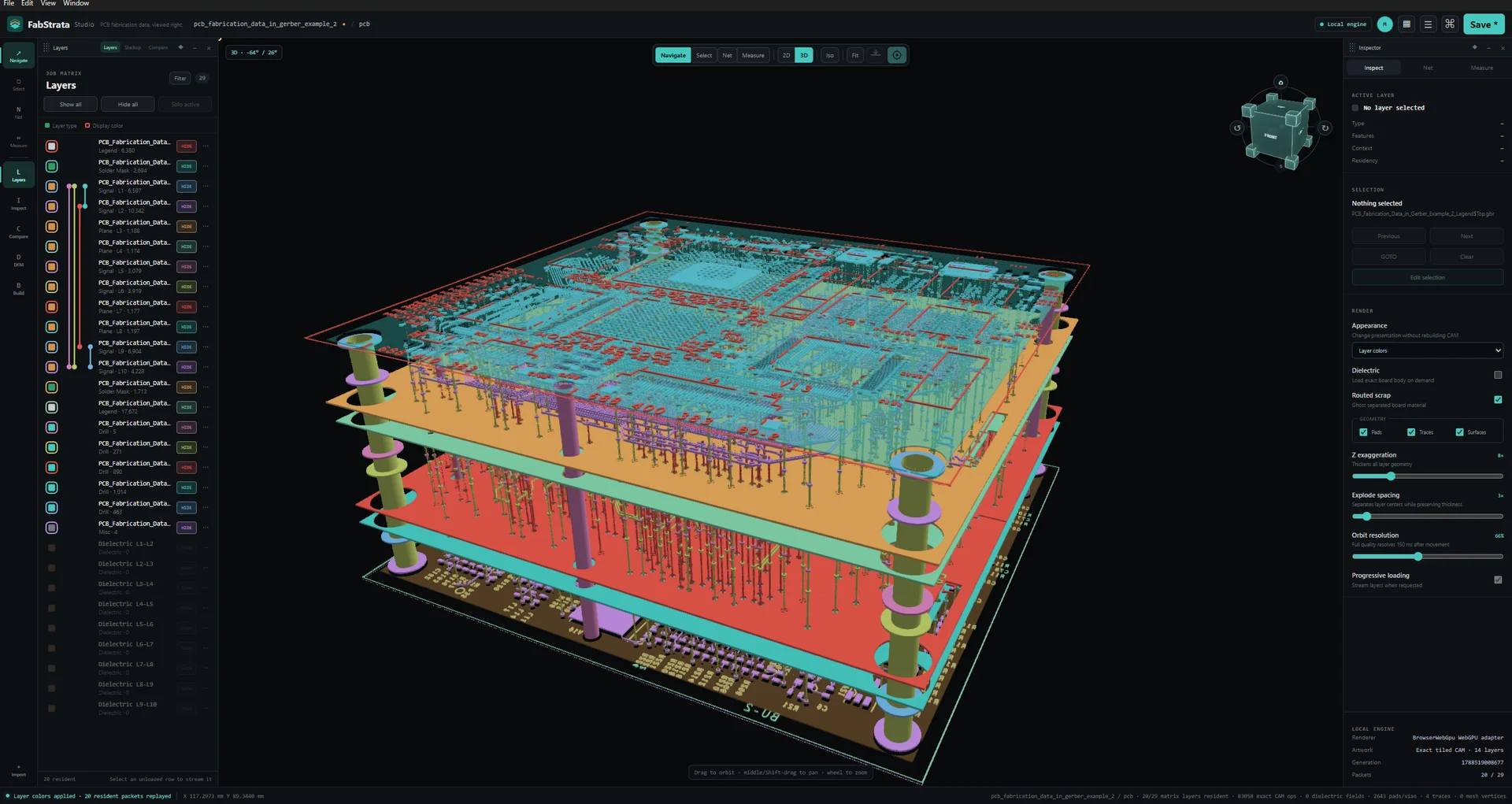
Show the real FabStrata Studio product and physical board stack immediately beside the hero message.
The physical stack in FabStrata Studio, with copper at real Z, a drilled barrel, and the job layer matrix beside it.
What you do with it

Three workflows, one board review.

In developmentFabStrata is under development, but below are the features we are proud to show off.

See how the package was read, before it lands

Filenames, extensions, and headers are evidence, not truth. FabStrata shows the predicted role, stack position, and confidence for every file, with the measured evidence behind it, and nothing is committed to the project until you approve it. Parser readings stay under your control per file or per type.
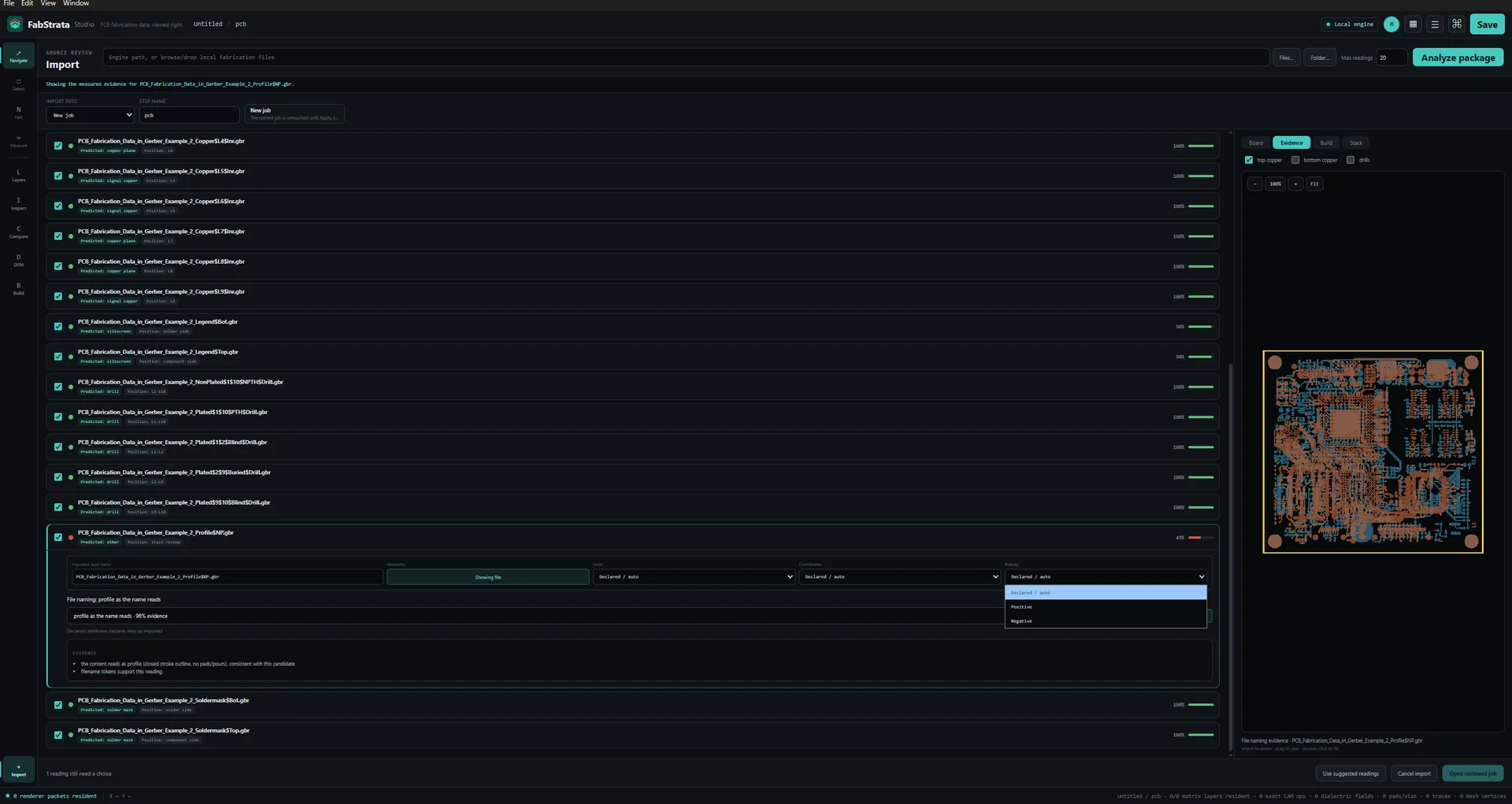
Show the actual reviewed import UI, its prediction summary, preview, target step, and stack placement.
The reviewed import in FabStrata Studio: predicted role, stack position, and confidence for each file, with the package preview beside them.

Inspect the artwork and the physical build

Exact 2D artwork and physical-stackup 3D read the same geometry and the same layer order, so switching view does not create a second interpretation of the board. Copper sits at real Z with dielectric, plating, real holes, routed scrap, and blind or buried spans.

Show exact 2D artwork together with the real layer matrix and visibility controls.
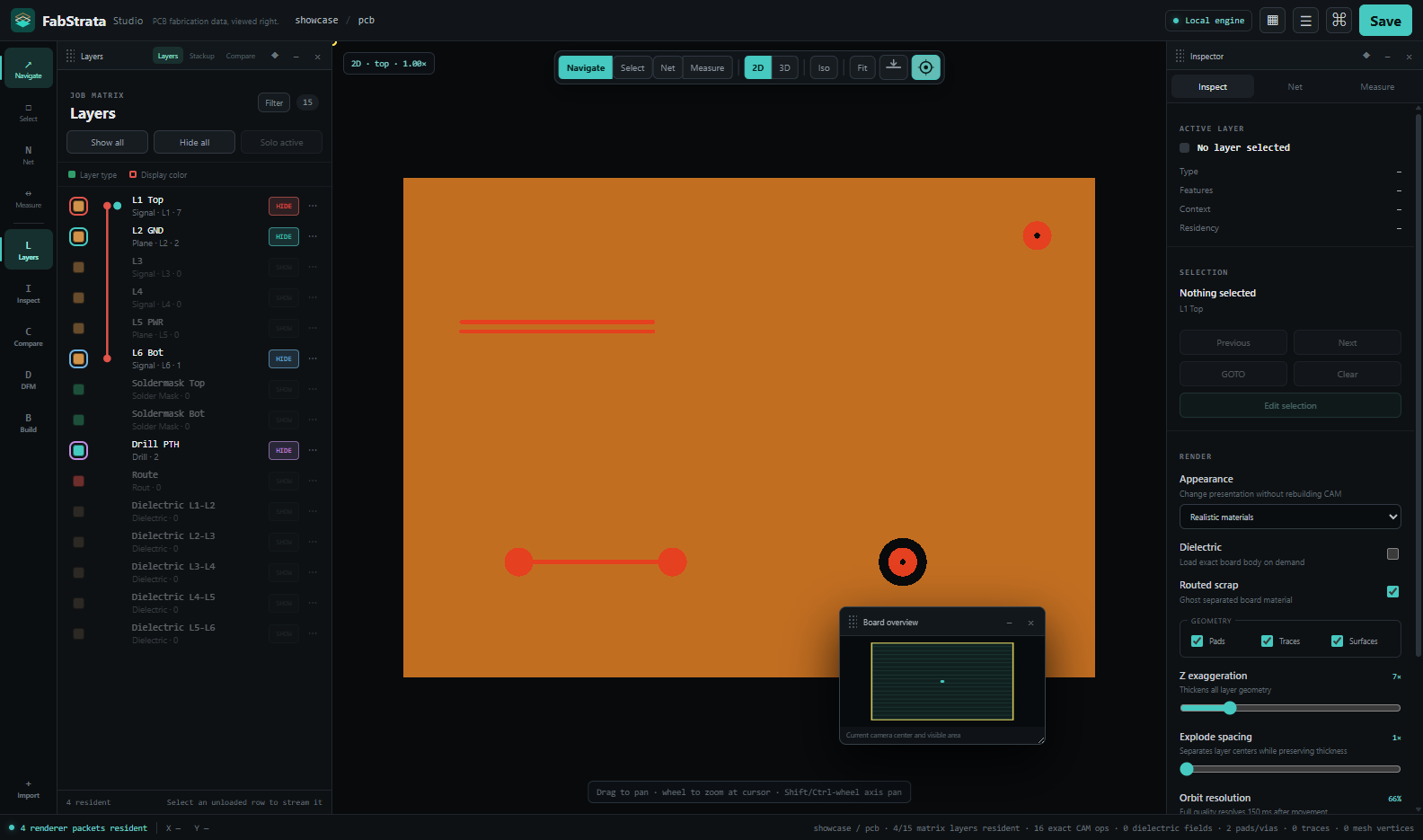
Exact 2D artwork with the live layer matrix, visibility controls, and board overview.

Verify connectivity, compare revisions, hand it on

Nets come from physical copper and plating rather than source labels, and can be highlighted or isolated across every layer involved. Compare a revision step against the canonical layer matrix, then save the project and export a report, composite, check films, or a GLB for someone without FabStrata.

Net isolation

From the whole board to one connected path.

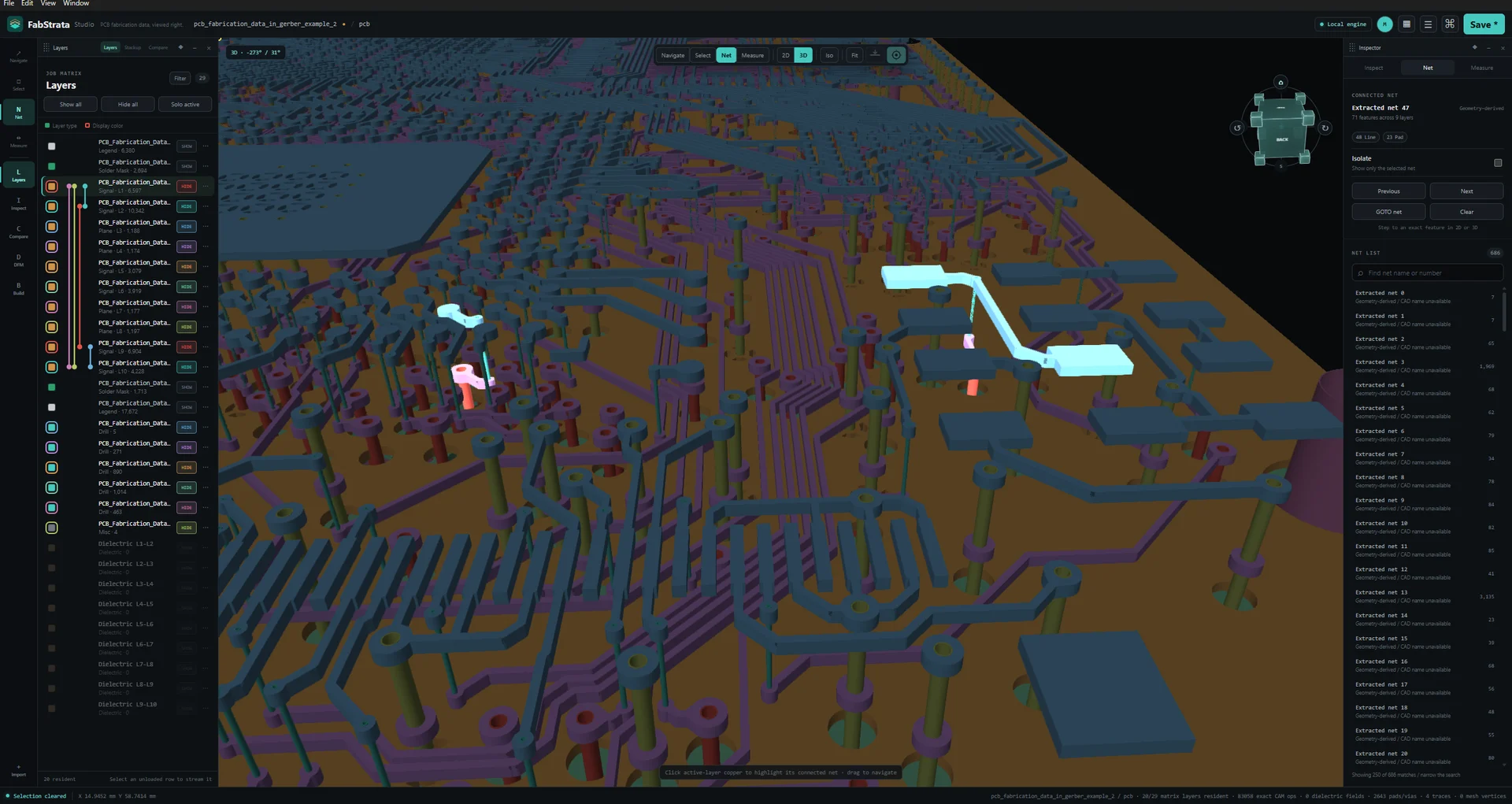
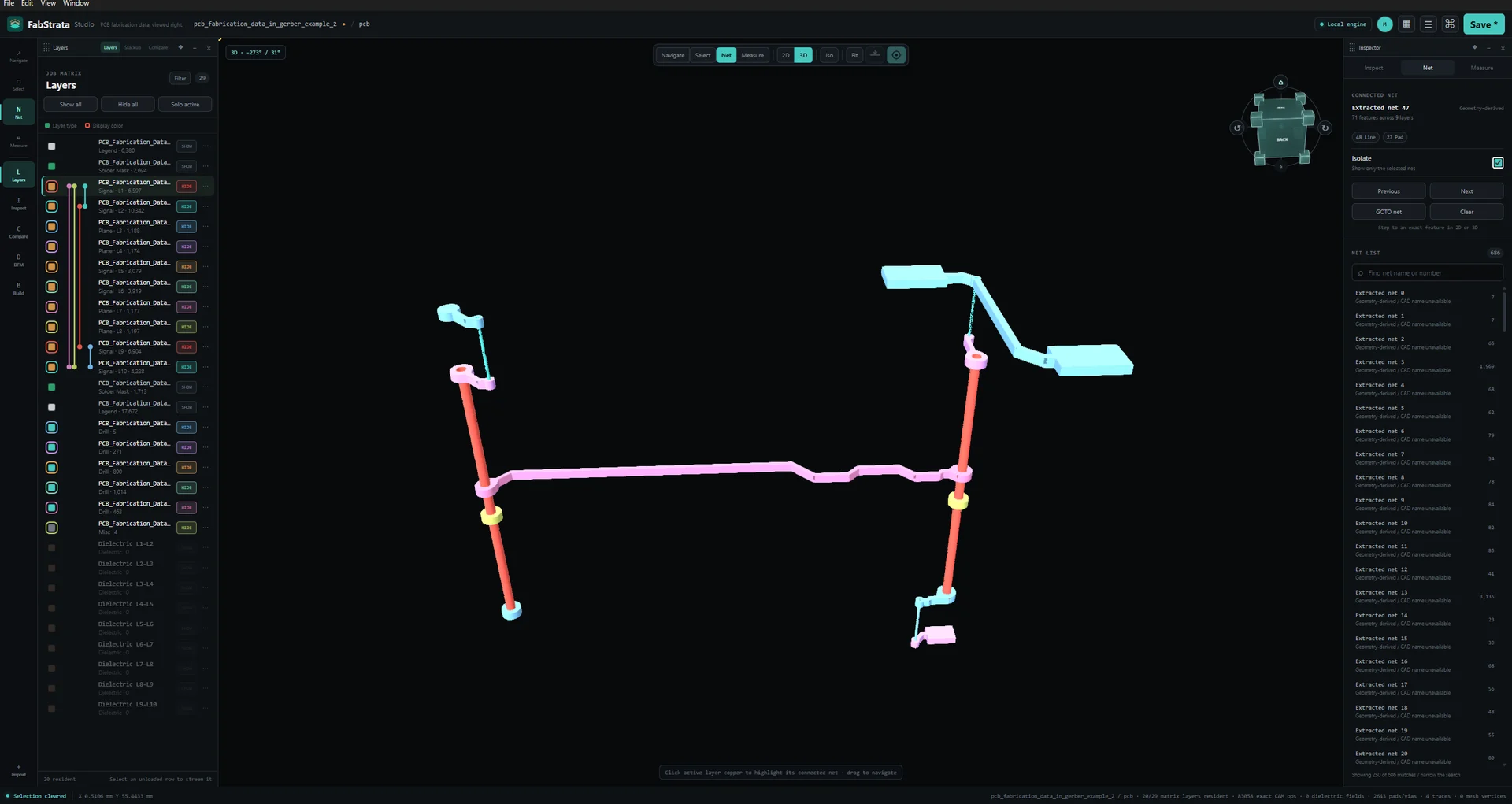
Highlight a net in context, then isolate it across every copper layer and plated span it touches.

Show a selected physical net highlighted in context across the visible board stack before isolation is enabled.Show the same physical net isolated across the relevant stack layers after isolation is enabled.
The selected net stays bright while the surrounding board remains visible.
Input

Read the package you were sent.

Gerber X1/X2, Excellon/XNC, ODB++Design, DXF, PDF, and IPC-D-356 enter through reviewed import workflows.

Current limitsODB++ broader-producer validation and PDF raster/reference fidelity remain open. Any format table must show the limits adjacent to the format, not only on another page.

  • Gerber X1 / X2Loose files, folders, ZIP

    Reviewed import; parser readings are operator-controlled.

  • Excellon / XNCLoose files, folders, ZIP

    Reviewed import; spans and plating stay operator-editable.

  • ODB++DesignDirectory, .tgz / .tar.gz

    Broader-producer validation is still open. Guarded to a fresh job. `.Z` compression, transformed repeats, composite symbols, declared stackup, and some semantic sections remain limited.

  • DXFMechanical and reference drawings

    Carried in reference context, not as fabrication artwork.

  • PDFNative vector and text pages

    Raster page fidelity, clipping and transparency, source-font outlines, and scanned-page OCR are not complete. Reference context only.

  • IPC-D-356Reference netlist

    Imported as a reference for comparison, not as artwork.

  • FabStrata project.fabio, legacy .camtrace

    Unsupported project versions are rejected, not guessed.

ODB++ broader-producer validation and PDF raster and reference fidelity are still open work. Full coverage and documented limits.

Where your data goes

Board work happens on your machine.

PCB review and rendering run locally. A network connection is used for sign-in, entitlement refresh, account features, and updates; fabrication data is never uploaded to FabStrata.

Import, geometry, connectivity, rendering, projects, and review exports are computed on the operator's computer. Customer fabrication data is not uploaded to FabStrata.

Handled off the machine: identity · organizations · entitlements · preferences · release metadata · audit metadata

Download coming soon.